Muffled phone speaker? Clean it, test it or replace it
Most muffled phone speakers are blocked, wet or misrouted rather than broken. Rule out settings first, clean the grille with a soft, dry brush, let water evaporate, and only replace the speaker if a test still shows weak or distorted sound.
 By PhoneProof Engineering
8 min read
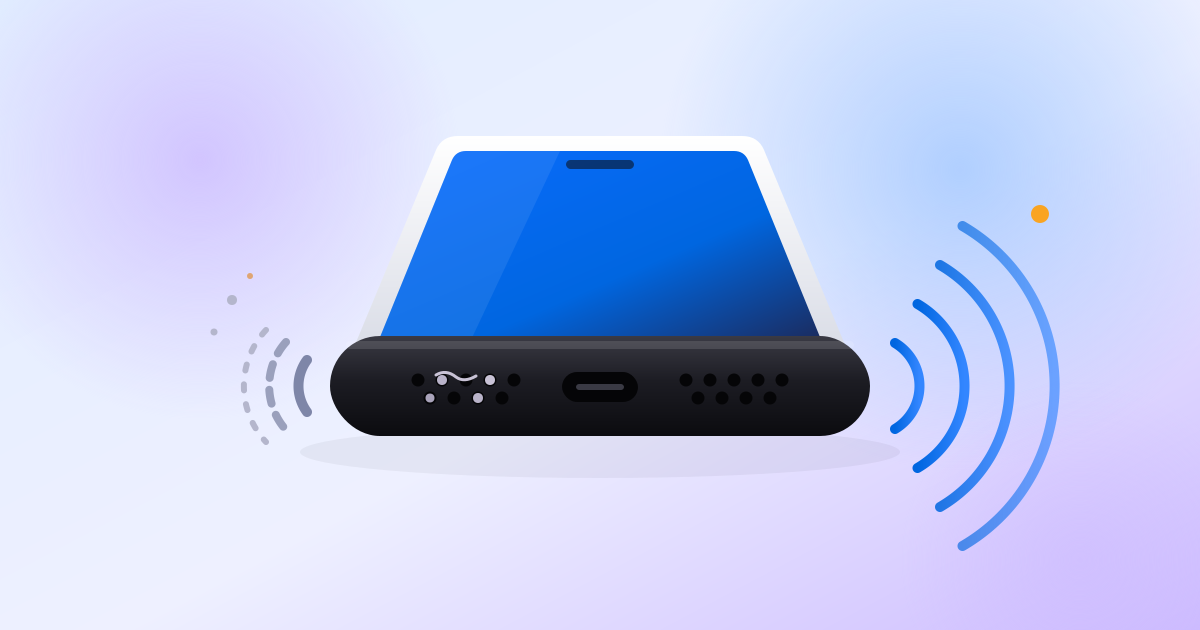
Why does my phone speaker sound muffled?
When people call a speaker muffled, they usually mean the lows still come through but the highs are missing. The usual causes, roughly in order of how often they are the answer:
- Something covering it. Apple, Google and Samsung all tell you to remove cases, films and screen protectors before anything else.
- Lint and dust packed into the grille or the earpiece slot.
- Water. Apple says water in the port may degrade speaker or microphone performance until it completely evaporates.
- Air pressure. Samsung notes that after a large change in air pressure, speakers can sound quiet, crackly or distorted.
- A setting or an app, such as sound routed to Bluetooth.
- A failed speaker module, the last thing to conclude.
Is it a setting or the speaker?
- Turn Bluetooth off. Google and Samsung both suggest this, so audio cannot be routed to earbuds or a car.
- Check the right volume. On Android 12 and later, media, call, ring, notification and alarm volumes are separate sliders. Press a volume button, then tap the menu beside the slider to see them all.
- Check Do Not Disturb and silent mode. On iPhone, Apple points to Settings, Focus, Do Not Disturb, and the Ring/Silent switch or Action button. On Galaxy phones, Samsung points to Settings, Notifications, Do not disturb.
- Try two or three songs or videos. Google says that if only some sound distorted, those files may be at fault. If everything does, the phone is.
- Look at hearing and accessibility settings. Android puts mono audio and left/right balance under Accessibility, Audio adjustment; Samsung puts balance under Accessibility, Hearing enhancements. On iPhone, Reduce Loud Audio (Settings, Sounds & Haptics, Headphone Safety) only limits headphone audio, so it does not explain a muffled built-in speaker.
- Restart, then try Safe mode on Android. Samsung says that if the problem disappears in Safe mode, a recently installed app is the likely cause.
How do I clean a phone speaker safely?
The manufacturers agree on a short list. Apple’s instructions are the most detailed:
- Turn the phone off and unplug every cable. Remove the case and any screen protector.
- Use a small, soft-bristled brush that is not metal. It must be clean and dry. A soft toothbrush is what iFixit suggests for lint.
- Brush the earpiece mesh gently. Apple warns there is a microphone inside the receiver opening on iPhone, so use extreme care, and avoid large sweeping strokes that could scratch the glass.
- Wipe away what comes loose with a microfibre or soft, lint-free cloth.
Avoid: pins, needles, toothpicks and anything metal in the holes; compressed air (Apple and Samsung both advise against it, although some iFixit community answers suggest it); bleach or hydrogen peroxide products; and any liquid getting into the openings.
How do I get water out of my phone speaker?
Patience works better than tricks. Apple’s advice for a wet iPhone whose speaker sounds muffled:
- Place it speaker side down on a lint-free cloth and see if water drips out.
- Tap it gently against your hand with the charging port facing down, then leave it in a dry place with some airflow. A fan blowing cool air can help.
- Do not use a heat source or compressed air, do not push a cotton bud or paper towel into the port, and do not put it in rice.
- Wait at least five hours before connecting a cable or accessory.
Samsung agrees: pat the earpiece, microphone, speaker and port dry with a soft cloth, rinse off salt water with fresh water, and never use heat. For the Galaxy S8 and S8+, it adds that the speaker’s own vibration during a call can clear moisture left on the front mesh.
What about water-eject tones? Apple builds the idea into Apple Watch: turning off Water Lock plays a series of tones to clear water from the speaker. Apple’s iPhone guidance does not mention tones, and we found no phone maker that recommends third-party tones or Shortcuts. Drying time is what the manufacturers document.
Earpiece, bottom speaker or microphone: which one is it?
Most phones have a loudspeaker on the bottom edge and an earpiece, or receiver, at the top of the front. Several microphones sit nearby. On iPhone, Apple’s service guide places the main microphone on the bottom edge opposite the speaker and a front microphone inside the receiver opening.
These quick tests narrow it down:
| What you notice | Points to |
|---|---|
| Calls are quiet at your ear, but fine on speakerphone | Earpiece: clean the top slot first |
| Music, videos and speakerphone all sound dull | Bottom loudspeaker |
| You hear fine, but people say you sound muffled | Microphone, not a speaker |
| Only one app or one file sounds wrong | The app or the file |
| It started after rain, a swim or a flight | Moisture or air pressure: dry it, or on a Galaxy, open and close the SIM tray |
When is it the speaker module, and what are the repair options?
If the case is off, the grille is clean, the phone has dried for a day and every app still sounds muffled, buzzy or rattly, the speaker itself is the likely fault. Apple’s own service guide reaches the same point: if cleaning and diagnostics don’t fix it, a receiver failure means replacing the top speaker and a speaker failure means replacing the bottom speaker.
- Apple: book a repair through Apple Support. Apple also runs Self Service Repair, which it says is meant for people with experience repairing electronics. Liquid damage is not covered under the iPhone warranty.
- Google Pixel: mail-in or walk-in repair through the Google Store and authorised partners. Out-of-warranty prices vary, and the estimate is shown before you submit.
- Samsung: run the diagnostics in Samsung Members, then book a repair or visit a service centre.
- Independent shops: iFixit publishes speaker replacement guides for many phones; a Pixel 5a speaker swap is rated moderate and takes one to three hours.
Buying second hand? A tired speaker is easy to miss in a noisy shop. It is one of the checks in our 10-minute used phone check before you pay, and worth weighing against price if you are choosing from the best value used phones of 2026.
For the technically curious
A phone can test its own speaker because it knows exactly what it played and has a microphone centimetres away. The standard way to do this in acoustics is the exponential sine sweep that Angelo Farina described at the AES in 2000 and refined in 2007: play a pure tone whose pitch rises at a constant rate per octave, record it, then convolve the recording with a time-reversed copy of the sweep.
That last step collapses the long sweep into a short impulse response. The linear response lands at one point in time. Distortion, which a speaker creates as harmonics (multiples of the frequency it was asked to play), lands as separate, smaller impulses that arrive earlier. One recording gives both the frequency response and the distortion, with better signal-to-noise ratio than older methods, Farina reports.
A muffled speaker shows up in the frequency response as highs that fall away. A rattle or buzz is nonlinear behaviour, so it shows up as extra harmonic energy; Klippel, which makes loudspeaker test systems, uses higher-order harmonics for its rub and buzz analysis.
PhoneProof uses this method. It plays an exponential sine sweep from 100 Hz to 16 kHz through each speaker and records it with the phone’s own microphone, three runs per speaker; if the runs disagree, the result is flagged as low confidence. Background noise is checked first. The earpiece is tested with the nearest microphone. The score combines signal-to-noise ratio, distortion and how even the response is between 300 Hz and 8 kHz. Each microphone also records a moment of silence to check its noise level, which is relative, not a calibrated sound level. The full detail is on how the checks work.
Frequently asked questions
Do water eject sounds work on an iPhone?
Apple builds tone-based water ejection into Apple Watch (Water Lock), not iPhone. For a wet iPhone with a muffled speaker, Apple says to place it speaker side down on a lint-free cloth, then let it dry in a dry area with some airflow. Water in the port may degrade speaker or microphone performance until it evaporates. We found no Apple guidance recommending third-party tones or Shortcuts.
Can I use compressed air to clean my phone speaker?
Apple and Samsung both say no. Apple lists compressed air among the things to avoid when cleaning iPhone openings, and Samsung says cans of compressed air may cause damage. Use a small, clean, dry, soft-bristled brush that is not metal.
Why does my phone speaker sound crackly after a flight?
Samsung says a large change in air pressure can make Galaxy speakers sound quiet, crackly or distorted. Its fix is to slide the SIM tray about halfway out with a SIM tool and close it again, which lets the pressure equalise.
Is a muffled speaker covered by warranty?
A hardware fault on a phone still under warranty usually is, but liquid damage often is not: Apple states that liquid damage is not covered under the iPhone warranty. Google says out-of-warranty Pixel repair prices vary, and a mail-in order shows the estimate before you submit it.
Sources
- Apple Support: If you can’t hear any sound or hear distorted sound from your iPhone, iPad or iPod touch speaker
- Apple Support: iPhone Troubleshooting Sound Issues (service guide)
- Apple Support: About splash, water and dust resistance of iPhone 7 and later
- Apple Support: If you see a liquid-detection alert on your iPhone
- Apple Support: How to use Water Lock and eject water from your Apple Watch
- Apple iPhone User Guide: Check your headphone audio levels on iPhone
- Apple: Self Service Repair
- Pixel Phone Help: Fix sound problems
- Pixel Phone Help: Get your device repaired
- Pixel Phone Help: Pixel phone hardware diagram
- Android Help: Change volume, sound and vibrate settings
- Android Accessibility Help: Use accessibility features on Android
- Samsung UK: Troubleshooting speaker and sound issues on a Samsung Galaxy device
- Samsung US: Speaker does not work properly on Samsung phone
- Samsung US: Protect your Samsung Galaxy device after water exposure
- Samsung: Galaxy S8/S8+ sound is not clear with crackling noise after being exposed under water
- iFixit: Google Pixel No Sound
- Angelo Farina: Advancements in impulse response measurements by sine sweeps, AES 122nd Convention, 2007 (PDF)
- Klippel: Harmonic distortion
Hear what the speaker really does.
PhoneProof runs up to 30 hardware checks on the phone in your hand and gives one score out of 100. Free, no account, no ads.
Keep reading
 8 min read
Used phone checklist: the 10-minute check before you pay
Used phone checklist for the meetup: check the IMEI and account locks, read battery health, then test the screen, sound, cameras and sensors in 10 minutes.
 8 min read
Best value used phones in 2026, by budget
Best-value used phone in late 2026: the Pixel 8, about $275 with Google updates to October 2030. Picks under $150, $300 and $500 for iPhone, Pixel, Galaxy.
 7 min read
Ghost touches on your phone: causes and fixes
Ghost touches usually come from a screen protector, dirt, moisture or a noisy charger. How to find the cause on iPhone and Android, and when it is hardware.